Rover
Review Rover Results
Monitor Rover work and review captured browser evaluation results.
Read Rover Results
Rover results use the same result layout as normal MCPLab evaluations. Browser runs include Rover provenance, and outcomes are passed, failed, incomplete, or error.
Select View in MCPLab from Rover, or open the run in MCPLab's results view. Review the captured answer, the individual check results, and the evaluated and unavailable check counts. See Reading Results for the result views.
Tool-dependent assertions are marked not_evaluated because Rover does not currently report MCP tool observations. A run can pass its evaluated checks while tool checks remain unavailable. Read those check statuses alongside the overall outcome.
canonical result layout
results/
  evaluation-run-id/
    results.json
    trace.jsonl
    summary.md
    resolved-config.yaml
    report.html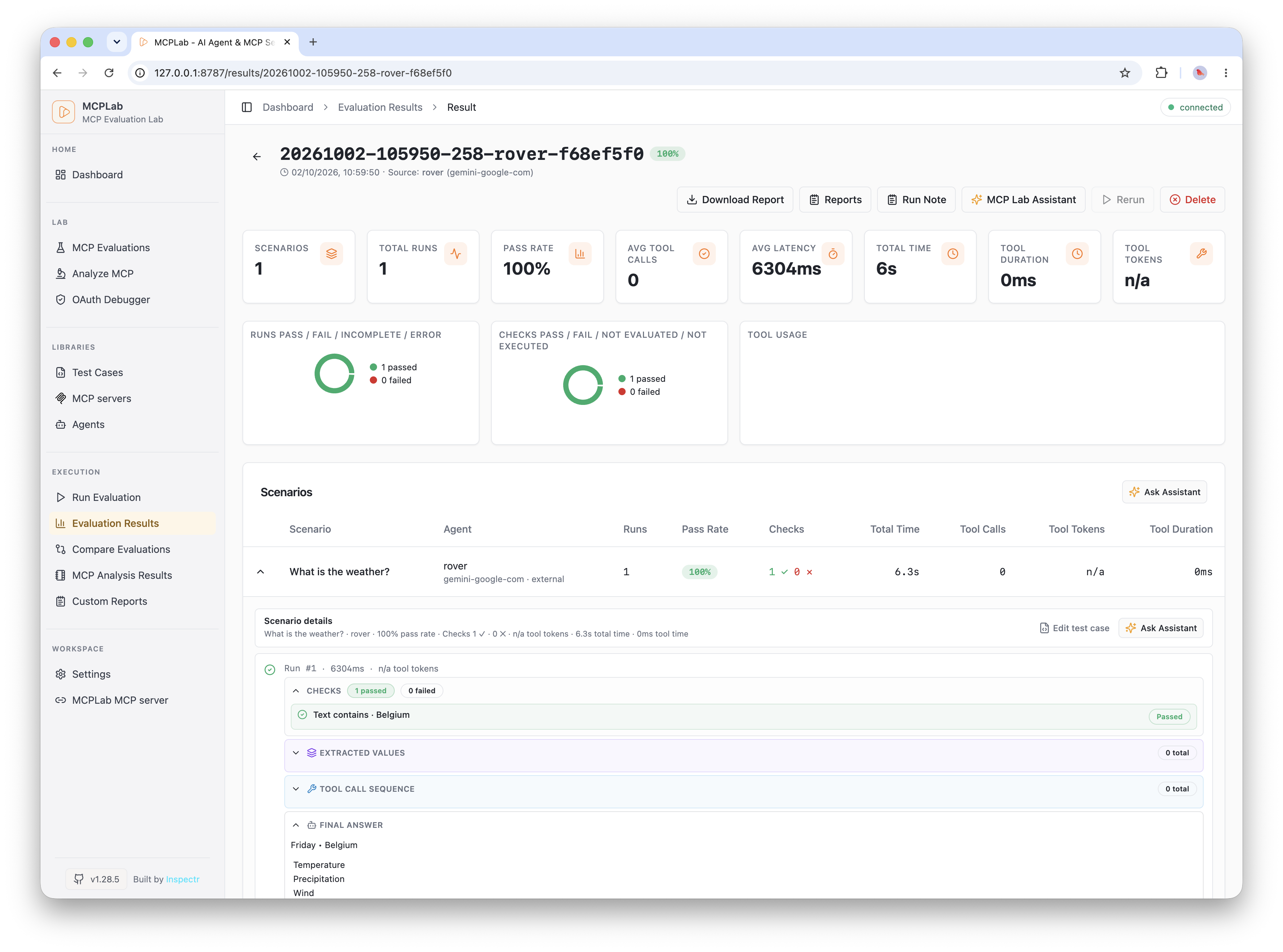
Resolve Common Result Issues
- Waiting for Rover: connect Rover using the same provider as the queued job.
- Missing response: confirm Rover is connected to the active browser tab and run the scenario again.
- Unavailable tool check: review the response checks separately because browser runs do not currently report MCP tool observations.
- Open the run in MCPLab to inspect the captured answer and individual check results before changing the evaluation.