App
Starting the App
Launch the MCPLab web UI and find your way around.
Launch the App
The mcplab app command starts a local web server and opens the UI in your browser.
basic launch
mcplab appwith options
mcplab app \
  --evals-dir ./evals \
  --runs-dir ./runs \
  --libraries-dir ./libraries \
  --port 3000 \
  --open
Default Directories
When directory flags are omitted, MCPLab looks in the current working directory for eval configs and uses ~/.mcplab/runs for run output.
- --evals-dir defaults to the current working directory.
- --runs-dir defaults to ~/.mcplab/runs.
- --libraries-dir is optional. No library is loaded if omitted.
Navigating the UI
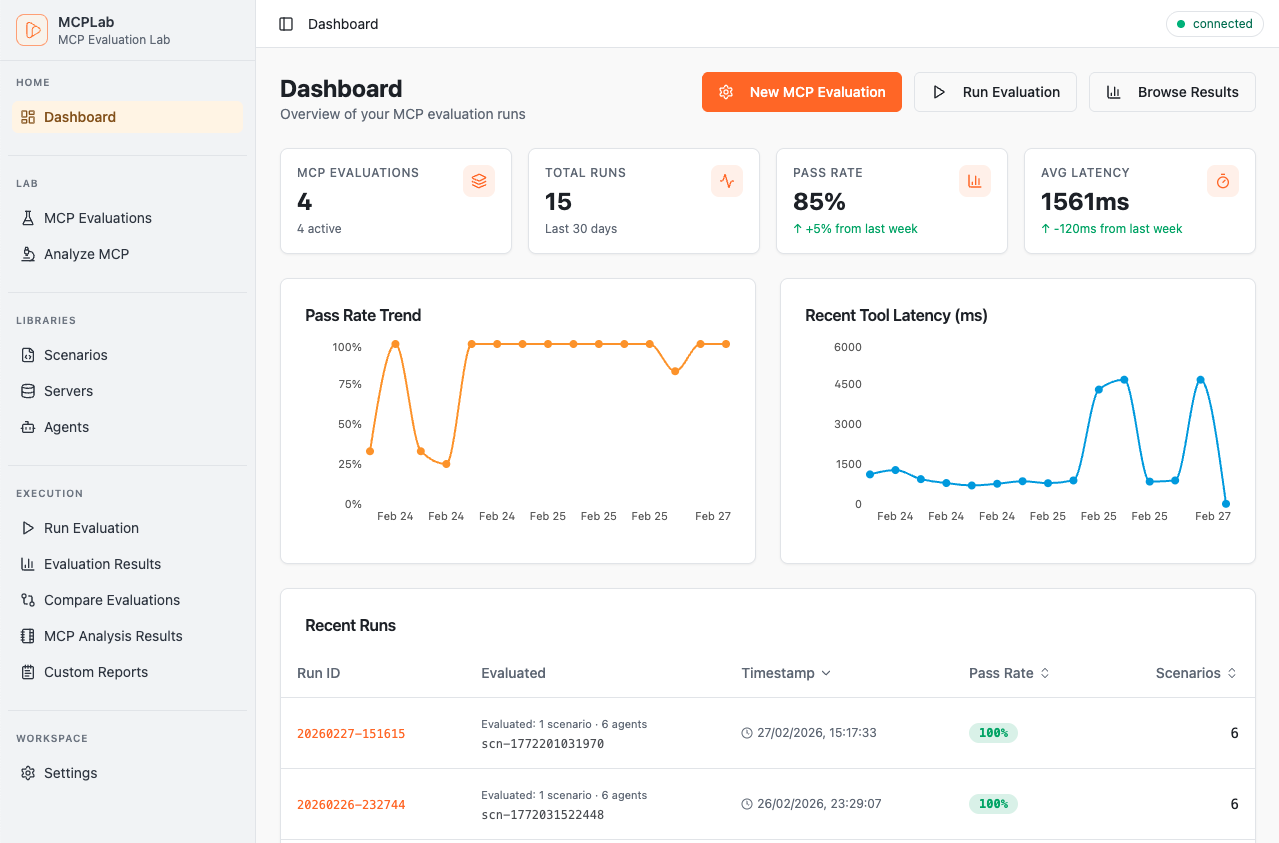
The sidebar gives you access to all App features.
- Dashboard — recent runs and pass rate trends at a glance.
- Run Evaluation — select a config and launch an eval.
- Results — browse completed runs and drill into detail.
- MCP Tool Analysis — review MCP tool definitions for quality.
- Library — manage reusable agents and servers.
- Settings — configure API keys and preferences.